Photo & Image to Pixel Art Converter
Turn camera photos, portraits, pictures, and digital art into authentic retro pixel art. Convert picture to 8-bit with smooth photo dithering, perceptual CIELAB color matching, retro console palettes, and crisp vector SVG or PNG exports.
Drag your image here or click to browse
Supports PNG, JPG, WEBP, and GIF up to 25MB • 100% Private in your browser
Save & Export Settings
PNG, SVG
Showcase
See the Before and After
Witness high-resolution artwork and renders transform into crisp, authentic retro pixel assets.
High-fidelity dynamic illustrations downscaled with perceptual CIELAB color matching and zero muddy banding.
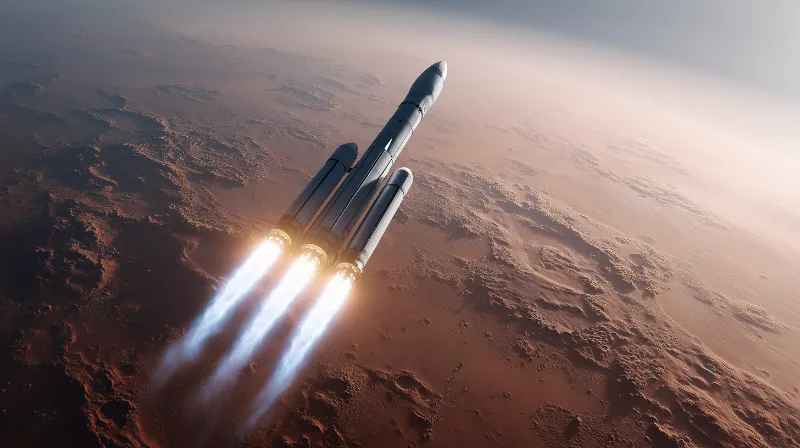
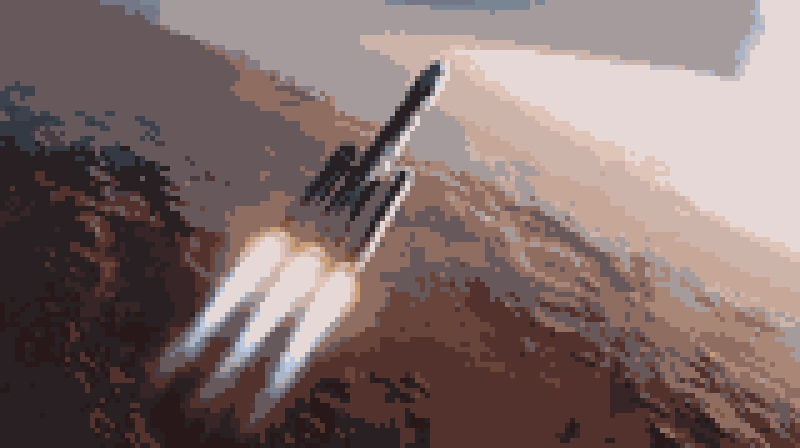
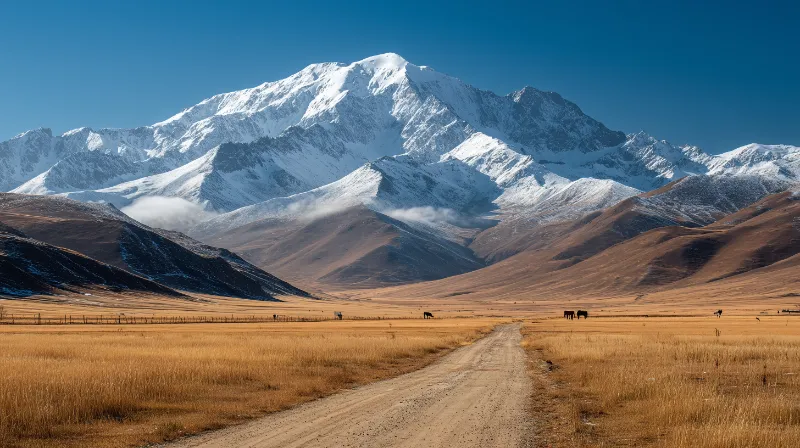
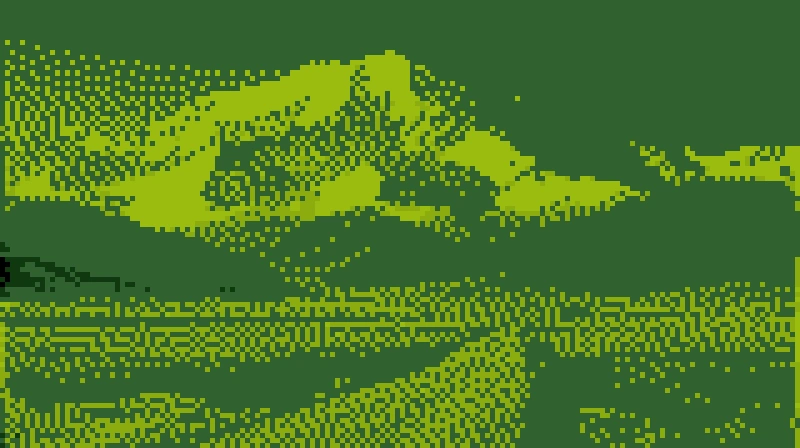
High-contrast nature scenes adapted cleanly into limited retro console palettes with balanced Bayer matrix dithering.
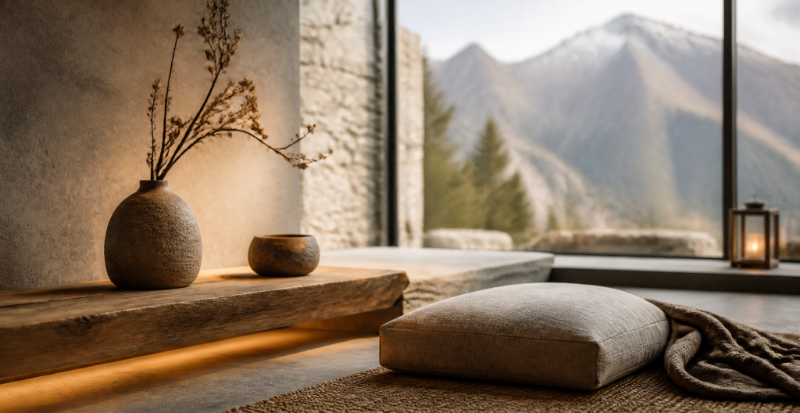
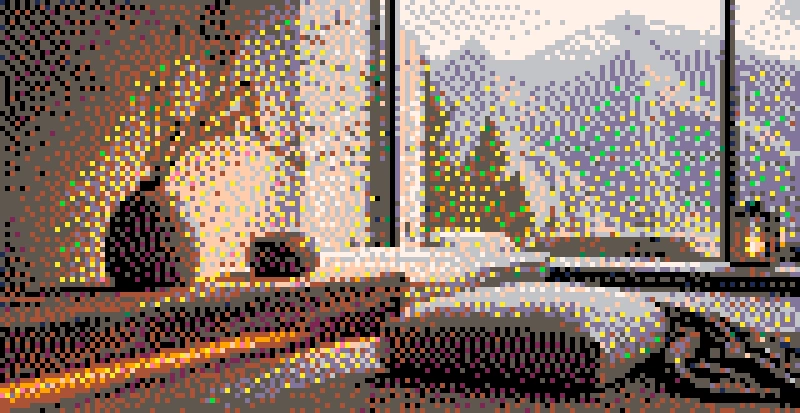
Interior and environmental renders converted into crisp, scalable retro sprites with unsharp contour masking.
Why Creators Choose PixelArtPro
We built PixelArtPro to eliminate muddy, low-quality pixelation. Every feature is engineered to provide authentic retro gaming visuals with total privacy and instant access.
100% Free & No Sign-Up
Access the complete pixel art suite without registration, paywalls, or download limits. Export unlimited high-resolution artwork instantly.
Privacy First (Client‑Side)
Your graphics never touch an external cloud or server. All processing runs locally inside your browser’s canvas engine for maximum confidentiality.
Retro Console Palettes
Accurately emulate legendary hardware palettes including Nintendo Game Boy (DMG-01), NES / Famicom, PICO-8, Commodore 64, and CGA Mode 1.
Lossless Vector SVG & PNG
Export in crisp nearest-neighbor PNG up to 16× resolution, or download clean vector SVG tiles that remain perfectly sharp at any scale.
( Engine Capabilities )
Pixel Art Converter Controls
Fine-tune every facet of conversion. Our deterministic pipeline gives you surgical precision over downsampling, color reduction, and error diffusion dithering.
Adaptive Color Quantization
Automatically extracts optimal dominant color palettes from any photograph using K-Means clustering, or constrains output to legendary console limits.
- 2 to 64 adaptive palette quantization
- NES, Game Boy, PICO-8, CGA presets
- Dynamic color histogram indexing
Perceptual CIELAB Distance
Replaces rudimentary Euclidean RGB math with Delta-E perceptual color mapping calibrated directly to the human visual system for richer tonality.
- Eliminates muddy gray band artifacts
- Preserves delicate highlights and skin tones
- D65 Illuminant standard color matrix
Floyd–Steinberg & Bayer Dithering
Simulate rich gradient transitions across restricted palettes with precision 2D error diffusion or 4×4 Bayer matrix ordered cross-hatch shading.
- Continuous 0% to 100% diffusion density
- Serpentine diffusion to prevent line worming
- Authentic 1980s retro cross-hatch shading
Anti-Muddy Edge Sharpening
Convolution unsharp masking reinforces subject outlines and structural edges before downscaling, preventing blurry, indistinguishable pixel clumps.
- Pre-quantization silhouette detection
- High-pass spatial frequency amplification
- Keeps portrait eyes, lips, and contours crisp
Live Interactive Split Comparison
Inspect converted output side-by-side with your original source photography via our ultra-smooth 60fps interactive curtain slider with zero latency.
- Zero-lag touch and mouse scrubber drag
- Toggle single view or curtain split with 1 click
- Hardware-accelerated pixel canvas rendering
Integer Scaling Multipliers
Export files at exact integer multiples (1x, 2x, 4x, 8x, or 16x HD) with nearest-neighbor interpolation to prevent fractional anti-aliasing blur.
- Nearest-neighbor zero blur upscale
- Lossless vector SVG export format
- 1-click Direct Clipboard image copying
How to Convert Image to Pixel Art in 3 Steps
Transform any graphic into retro 8-bit or 16-bit pixel art in less than ten seconds.
Upload Your Image
Drag and drop any PNG, JPG, GIF, or WEBP file into the studio box, or click to browse files on your device. You can also paste directly from your clipboard.
Fine-Tune Pixels & Palette
Adjust the pixel block size, choose an iconic retro palette like Game Boy or NES, adjust dithering, and boost edge sharpness to eliminate muddy areas.
Export Crisp Artwork
Select your desired scaling factor (up to 16× HD) and download your artwork as a crisp PNG file, a lossless vector SVG, or copy it directly to your clipboard.
Explore PixelArtPro Workflows
Whether you're crafting retro game assets, profile avatars, or printable pixel art, our dedicated workflows optimize your output.
Photo to Pixel Art Converter →
Specialized portrait pixel art and photo dithering algorithms for selfies, faces, pets, and camera pictures with natural facial contour preservation.
Convert Picture to 8-Bit →
Convert pictures to 8-bit retro gaming sprites and arcade graphics with strict NES color limits and classic cross-hatch shading.
Photo to Sprite Converter →
Convert photography into game-ready 16×16, 32×32, or 64×64 character sprites with transparent alpha support.
PNG to Pixel Art Online →
Preserve hard transparent edges and clean transparent backgrounds when converting transparent PNG logos and icons.
( FAQs )
Your Questions, Answered
Everything you need to know about our browser-based conversion technology, retro palettes, and lossless export options.
Is this image to pixel art tool completely free to use?
Yes, PixelArtPro is 100% free with no hidden charges, watermarks, or subscription requirements. You can upload an unlimited number of images, adjust resolution and retro color palettes, and download crisp PNG and SVG files immediately.
Do you upload my images to an external server?
No. All image processing runs strictly inside your local web browser using client-side HTML5 Canvas technology. Your source pictures and exported pixel art never leave your computer or phone, guaranteeing absolute privacy.
Can I convert PNG, JPG, GIF, and WEBP files here?
Yes! PixelArtPro supports all common image formats including PNG, JPG/JPEG, WEBP, and GIF. PNG files with transparent backgrounds retain their clean alpha transparency throughout the conversion process.
Is this an AI pixel art generator?
No. PixelArtPro is a deterministic, rule-based image converter rather than a generative AI model. It mathematically downsamples your graphics, quantizes colors using CIELAB distance, and applies authentic Floyd-Steinberg error diffusion dithering. This ensures your subject's exact composition and likeness remain intact without AI hallucinations or blurring.
How do I get cleaner pixel art results without blur or mud?
To eliminate muddy colors, start with good lighting and simple backgrounds. In PixelArtPro, boost the Edge Sharpening slider to define outlines before downsampling, select Perceptual CIELAB color distance, and export using our integer scaling options (4x, 8x, or 16x) to avoid bilinear screen filtering.
Can I export vector SVG or high-resolution PNG?
Yes! You can export razor-sharp PNG files scaled up to 16× resolution (e.g. 2048×2048) with nearest-neighbor crisp pixels, or export a lightweight vector SVG file where each pixel block is rendered as an infinitely scalable vector element.
Can I convert camera photos, selfies, and pet pictures into pixel art?
Yes! PixelArtPro is optimized for camera photos, portraits, selfies, pet photography, and landscapes. By pairing perceptual CIELAB color quantization with edge sharpening, fine facial features, eyes, and natural gradients stay distinct and recognizable without collapsing into muddy pixel noise.
How do I make skin tones and faces look natural in pixel art?
For portrait photos and human faces, enable Floyd–Steinberg error diffusion dithering and select an Adaptive or 16-bit console palette (such as SNES). Dithering smoothly blends subtle color steps across cheeks, foreheads, and lighting contours, eliminating harsh banding or flat posterized patches.
Can I use the generated pixel art commercially?
Yes! You own 100% full commercial and personal rights to all pixel art generated from your images. There are no licensing fees, watermarks, or royalties. You are free to use your exported pixel assets in indie games, commercial merchandise, marketing, and digital artwork (provided you own or have permission for the source image).
Can I create and save custom color palettes?
Yes! In our Advanced Pixel Studio, the built-in Palette Editor lets you create, name, edit, reorder, and save custom palettes. You can add exact HEX colors, sample tones from your canvas, and export or import palettes in JSON, plain-text HEX lists, or CSS variables. All custom palettes are saved locally in your browser.